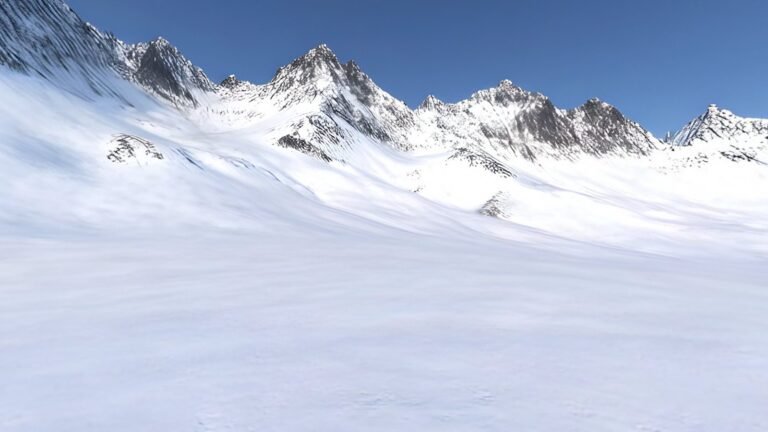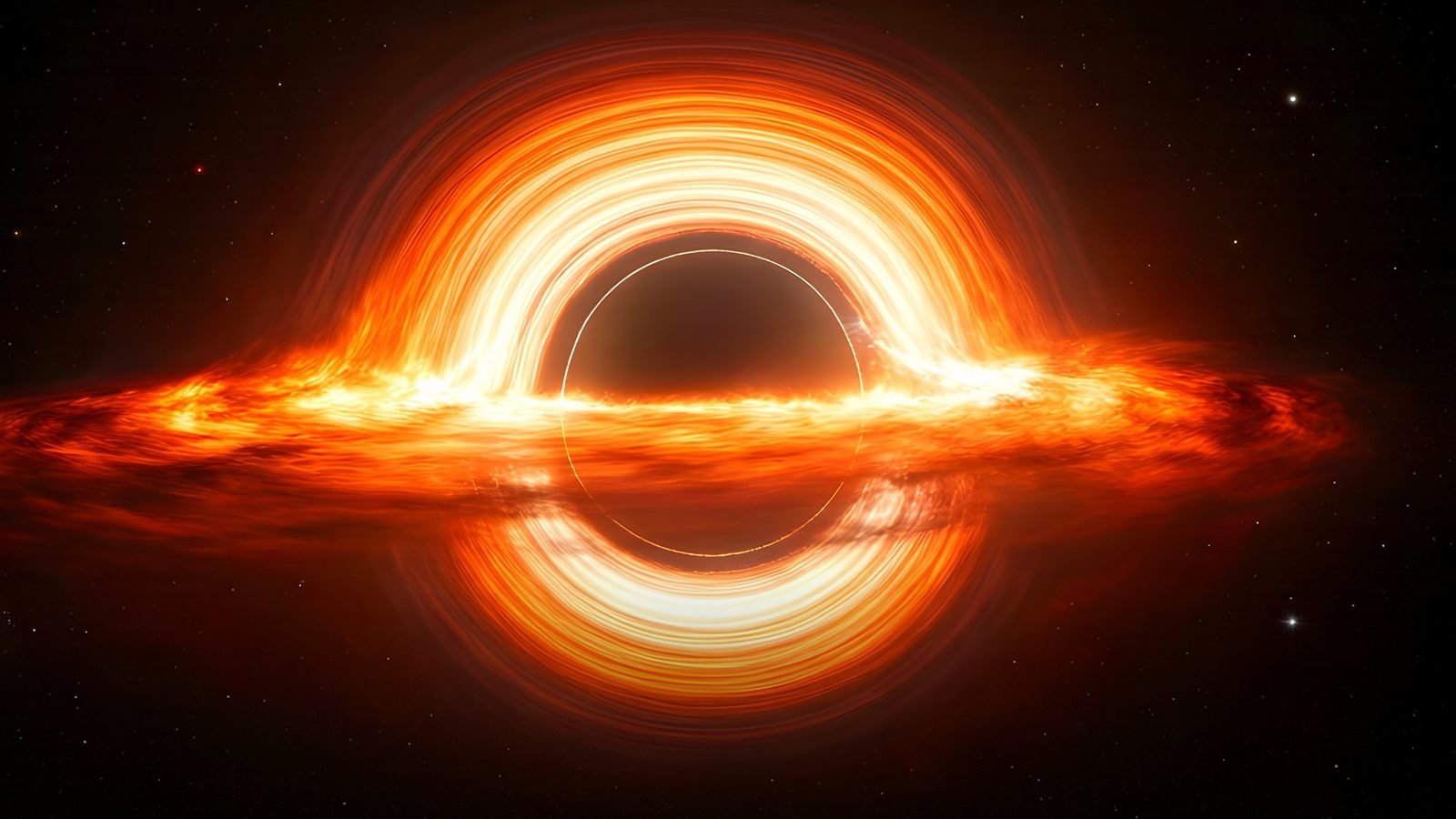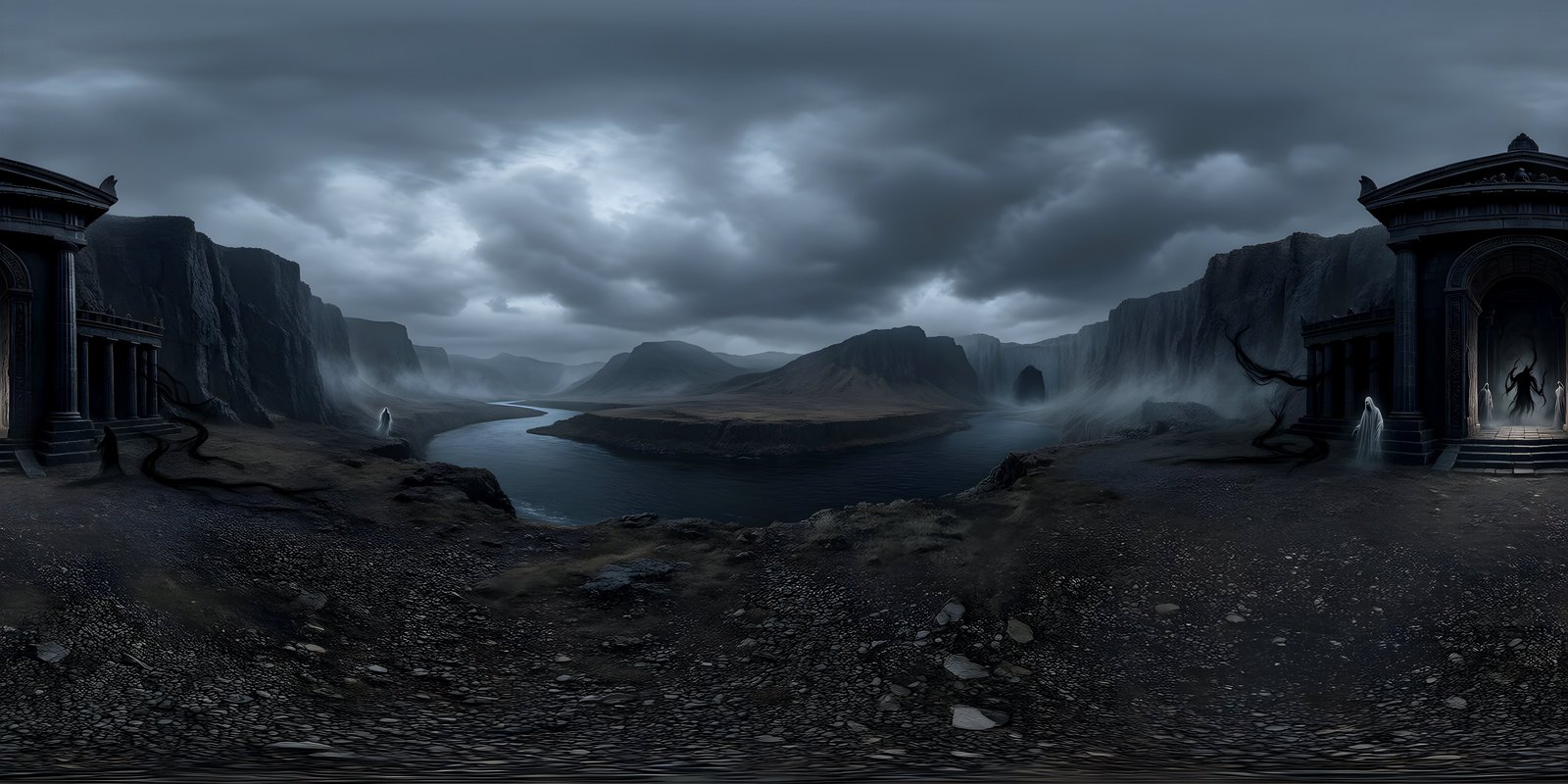
A 360-degree image is a picture of everything around a single point: the full circle of the horizon, the sky overhead and the ground below, stored as one flat image. Open it in a 360° viewer, a game engine or a VR headset and it wraps around you, so you can look in any direction. Almost all 360 degree worlds use the equirectangular projection, a 2:1 image in which width is the direction you face and height is the angle above or below the horizon. This guide explains how that works, how much resolution you need (8192 × 4096 for a headset or a sharp sky), which format to choose (PNG to be seen, EXR to light a scene), what skybox, HDRI and 360° world each mean, and how AI now generates complete 360° environments from a written description.
What is a 360-degree image?
Imagine standing in one spot and recording everything you could see by turning all the way round, tipping your head back to the sky and looking down at your feet. Now paint all of it onto the inside of a sphere. Put a camera at the centre of that sphere and it can face any direction and always see a continuous scene. A 360-degree image is that sphere, flattened so it can be saved as an ordinary image file.
The defining feature is full coverage: 360° around and 180° from straight up to straight down. A wide landscape photo is not a 360° image however wide it is, because it stops at the top, the bottom and the edges. Nor is a cylindrical panorama that covers the whole horizon but leaves out the sky overhead and the ground below.
The same idea goes by many names. Photographers say 360° panorama or spherical panorama, Google calls them photo spheres, game developers say skybox, and 3D artists say environment map or HDRI. Each industry expects something slightly different, which the terms section below untangles. At WorldGen360 we call a complete, generated place a 360° world.
360-degree images come from several places. A 360° camera captures one in a single shot with two or more lenses and stitches the views together. Photographers shoot dozens of frames from a panoramic tripod head and stitch those. 3D software renders them from a virtual scene, artists paint them, and AI can now generate them from a text description. However it is made, a 360° image ends up in the same shape, and every tool that understands that shape can use it. 360° video works the same way: each frame is a 360° image.
How a sphere fits in a flat image: equirectangular projection
A sphere cannot be flattened without distortion, as anyone who has compared a world map with a globe knows. 360-degree images deal with this the same way many maps do. In the equirectangular projection, also called latitude-longitude or lat-long, horizontal position in the image is the direction you face, from 180° behind you round to 180° behind you again, and vertical position is the angle above or below the horizon, from straight up to straight down. Because the image covers 360° across and 180° down, it is always exactly twice as wide as it is tall.
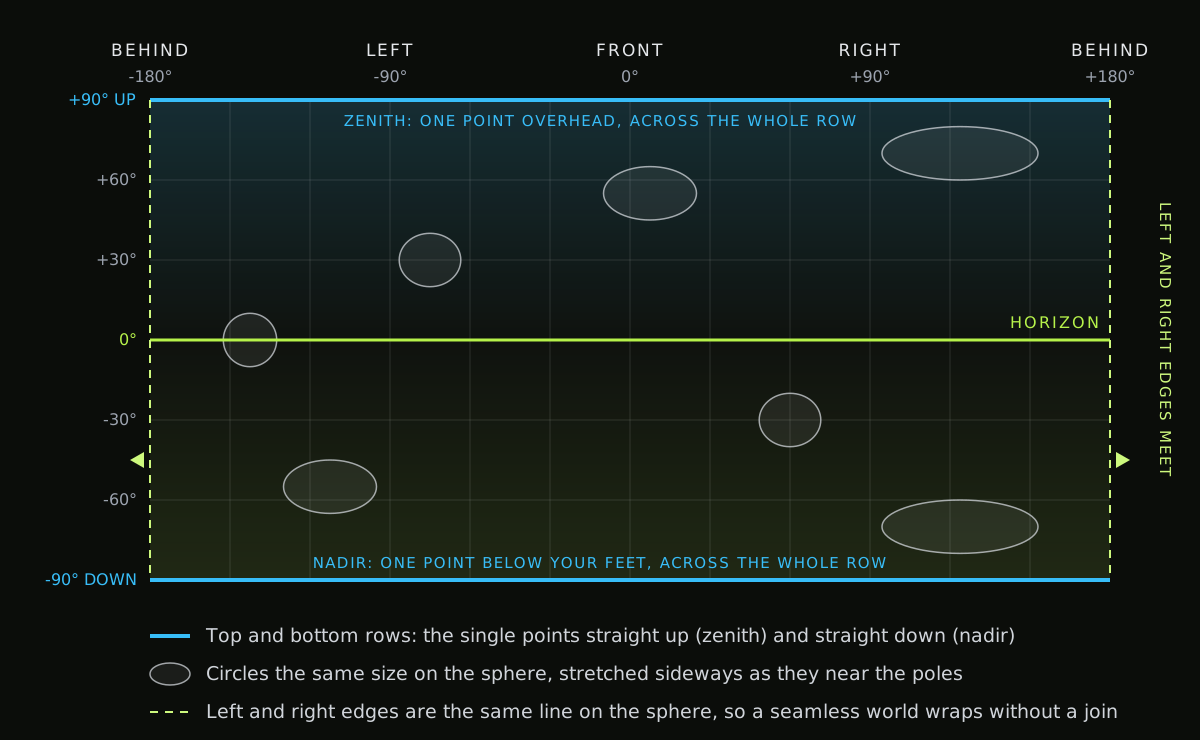
The horizon runs across the middle and looks natural. Moving away from it, the image is stretched sideways, by a factor that grows with the angle: twice as wide at 60° above or below the horizon, nearly three times at 70°, and without limit at the very top and bottom. The single point directly overhead, the zenith, is spread across the entire top row, and the point below your feet, the nadir, across the entire bottom row. That is also why straight lines bend in the flat image. Vertical lines, such as the edges of buildings, stay straight, but a horizontal line above or below eye level curves. What is an equirectangular image? works through the stretch in figures and compares the layout with cubemaps and fisheye images.
Two places in a 360° image need special care. The first is the poles. Stitched panoramas often show pinching, smearing or a patched circle there, because they have the least source material and the most stretching. The second is the wrap: the left and right edges of the image are the same line on the sphere, directly behind the viewer, so they must match pixel for pixel in colour, light and detail. A world that is pole-corrected and seamless holds together when you look straight up, straight down and all the way round.
Two practical consequences follow. Always judge a 360° image in a 360° viewer, not flat, because the flat version exaggerates the poles and hides problems at the wrap. And be careful editing one in an ordinary image editor. A brush stroke near the top row covers far more of the sphere than it seems to, and anything touching the left or right edge breaks the wrap. To repair the wrap in a flat editor, offset the image by half its width, with wrap-around turned on, so the seam moves to the middle where you can see it, fix it, then offset it back. In Photoshop that is Filter › Other › Offset.
Cubemaps and other layouts
The main alternative to equirectangular is the cubemap: the sphere projected onto the six faces of a cube, each covering 90° by 90°. Graphics cards sample environments from cubemaps natively, so game engines often convert a panorama into one when it is imported. Cubemaps are stored as a cross, a strip of six faces or six separate files, and each engine names, orders and rotates the faces its own way.
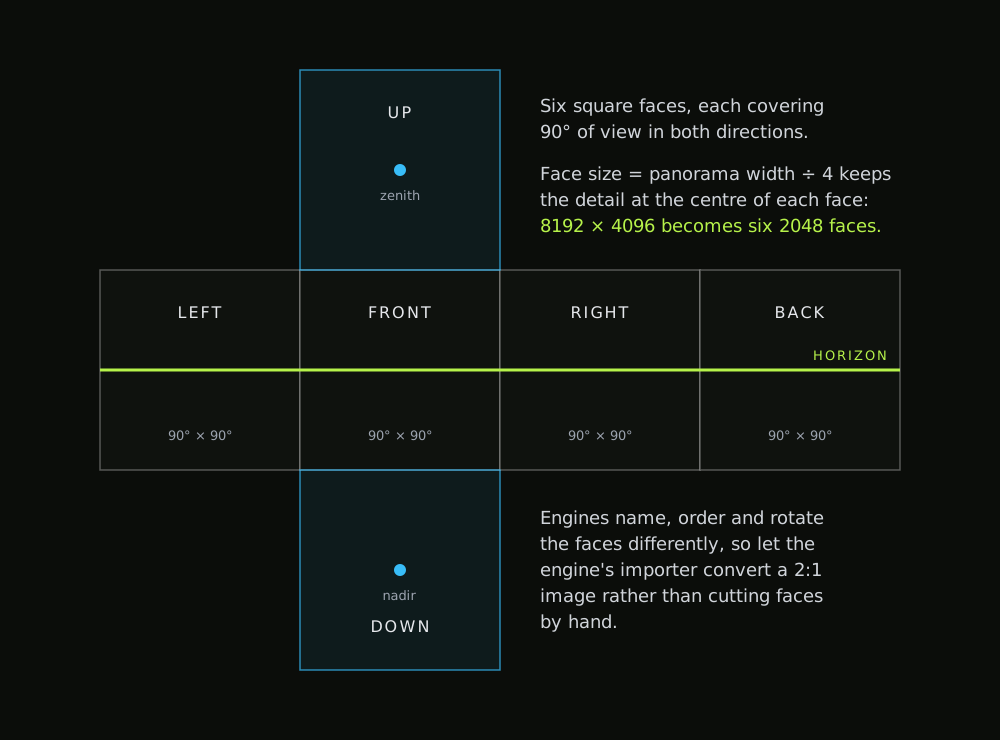
When converting, a face size of a quarter of the panorama’s width keeps the same detail at the centre of each face: an 8192 × 4096 world becomes six 2048 × 2048 faces. Let the engine’s importer do the conversion rather than cutting faces by hand, and keep the equirectangular image as your master copy, because every tool can read it and it converts cleanly in any direction.
You may meet a few other layouts. Consumer 360° cameras record dual fisheye images, two circles that are stitched into an equirectangular image afterwards. Some cameras and streaming services use the equi-angular cubemap, a variant that spreads pixels more evenly across each face. And the “little planet” look is a stereographic projection: a striking way to present a 360° image, not a way to store one.
Resolution: how many pixels a 360-degree image needs
Resolution matters more for a 360-degree image than for an ordinary picture, because you never see all of it at once. Whatever you are looking at is a small slice of the sphere, enlarged to fill a screen or a headset. The useful measure is therefore pixels per degree: the image’s width divided by 360.
| Image size | Pixels per degree | Across a 90° view | Typical use |
|---|---|---|---|
| 2048 × 1024 | about 5.7 | 512 px | Thumbnails, previews, heavily blurred backgrounds |
| 4096 × 2048 | about 11.4 | 1,024 px | Web viewers, mobile games, backgrounds with depth of field |
| 8192 × 4096 | about 22.8 | 2,048 px | Desktop and console skies, VR headsets, lighting |
| 16384 × 8192 | about 45.5 | 4,096 px | Deep zoom on very large screens; four times the memory of 8K |
Now compare that with the display. Say a viewer shows 90° across a window 1,920 pixels wide: that is about 21 screen pixels for every degree. A 4K world supplies about 11, so each source pixel is stretched across roughly two screen pixels, and the image looks soft, especially when someone zooms in. An 8K world supplies about 23, close to one source pixel per screen pixel. Headsets are similar: Meta quotes about 25 pixels per degree for Quest 3, so an 8K world is close to what the display can show and a 4K world gives it less than half.
You can see the difference in the sky long before you see it in a list of numbers. At 2K, cloud texture dissolves into blur and distant edges turn to steps. At 4K, a world looks fine at a glance but soft as soon as you zoom or put on a headset. At 8K, individual trees on a ridge and the structure inside a cloud hold up.
Three things are worth knowing before you choose. First, file size is not memory size: an 8K JPEG might be a few megabytes on disk, but it decodes to 33.5 million pixels, 128 MB in memory as 8-bit colour, before a browser or engine can show it. Second, upscaling a 4K image to 8K makes a bigger file, not more detail. AI upscalers can invent plausible detail, but most treat the image as a flat picture, so check the wrap and the poles afterwards. Third, it is easy to make a smaller copy later and impossible to add detail that was never there, so generate at the highest resolution you can and downscale for each use. On the web, a good pattern is to show a 4K version first and load the 8K version only when someone zooms in, which is what the viewers on this site do. 4K vs 8K 360° images recommends a size for each use, from web embeds to print.
Formats: JPEG, PNG, EXR and HDR
The format decides two things: how much quality survives compression, and how much range there is between the darkest shadow and the brightest part of the sky.
| Format | What it stores | Best for | Watch out for |
|---|---|---|---|
| JPEG | 8-bit colour, lossy compression | Web viewers, previews, sharing | Blocking and banding in smooth skies |
| PNG | 8 or 16-bit colour, lossless | Game skies, visible backgrounds, editing | Larger files; cannot hold light brighter than white |
| EXR (OpenEXR) | 16 or 32-bit floating point, lossless or lossy | Lighting 3D scenes, grading, visual effects | Large files; needs tone mapping to display |
| HDR (Radiance) | 32 bits per pixel, a shared exponent for red, green and blue | Lighting in tools that expect it | Less precise than EXR; no alpha |
Range matters because real skies are extreme. The sun is many thousands of times brighter than the shadow side of a building, and an 8-bit image cannot record that: everything brighter than its white point clips to the same flat white. That is fine for an image people only look at, and a problem for one that lights a scene, because a clipped sun gives weak, directionless light. Floating-point formats such as EXR keep values above white, so the brightest part of the sky can still cast a strong, directional light and produce defined shadows.
The rule of thumb is simple: PNG for a world that will be seen, EXR for a world that will light a scene or be graded. Keep a JPEG copy for the web. Some tools have preferences of their own; Unreal Engine, for example, imports a lat-long .hdr file straight into a cubemap. A generated EXR has extra range for grading and lighting, but it is an interpretation of a place, not a measurement of real light. When lighting must match a real location exactly, as when compositing live-action plates, use a captured HDRI. EXR vs PNG vs JPEG compares the formats in more depth, with file sizes and support in each engine.
360° world, skybox or HDRI: which term means what
Most of these words describe the same kind of image from the point of view of a different industry. The differences are in what each one expects the image to do.
| Term | What it means | Where you hear it |
|---|---|---|
| 360° image, 360° panorama | Any image covering the full sphere of view | Photography, the web, general use |
| Photo sphere | A 360° photo, usually with metadata that marks it as one | Phone cameras, maps, social platforms |
| Equirectangular, lat-long | The 2:1 projection most 360° images use | Every industry |
| Cubemap | The same sphere stored as six square faces | Game engines, graphics programming |
| Skybox | The engine feature that draws an environment behind everything else, and the image it uses | Game development |
| Environment map | An image of the surroundings used for lighting and reflections | 3D rendering, real-time graphics |
| HDRI | A high dynamic range image; in 3D, usually a captured 360° environment used to light a scene | Visual effects, product and architectural rendering |
| 360° world, 360° environment | A complete place as a 360° image, ready to use as any of the above | WorldGen360 |
So a single 8K EXR of a desert canyon can be a skybox in a game, an environment map in Blender, an HDRI in a product render and a 360° image in a headset, all at once. The name only tells you who is talking about it.
Where 360-degree images are used
- Games: skies, distant scenery and image-based lighting, drawn behind the level at almost no geometry cost. See Unity, Unreal Engine and the complete guide to game skyboxes.
- Virtual reality: the space around the player, lobbies, menus, calm spaces and tours. See VR environments and the complete guide to VR environments.
- Film and virtual production: pitching, previs and virtual scouting of locations that do not exist yet. See virtual production.
- Architecture and product rendering: environment lighting, reflections in glass and metal, and the view out of the window. See architectural visualisation.
- The web, education and tourism: interactive viewers that let people explore a place from a browser. Tours of real places are usually photographed; generated worlds suit places that are fictional, historical or not built yet. How to add a 360° image viewer to your website compares the ways to show one.
- Art and storytelling: immersive illustration, 360° video backdrops and settings for interactive stories.
What these uses share is that the viewer can look anywhere. That rules out the tricks a framed picture relies on, such as hiding weak areas outside the frame, and it is why seams, poles and resolution matter so much more here. The use cases hub covers each field in more detail.
360° worlds
Describe a place. Get the whole sphere.
Studio generates a complete 360° world from a description or a photo, then repairs it as a panorama so the edges join and the poles are clean.
- Up to 8192 × 4096
- PNG to be seen, EXR to light
- From a written description or a photo
How AI generates a 360-degree world
Ordinary image generators produce a framed picture. They have no notion of what lies behind the viewer or overhead, and the pictures they make follow the rules of a normal camera, not of a sphere. Turning their output into a 360° image means generating several views and stitching them together, and that is where the familiar faults come from: visible seams, light that comes from different directions in different views, a horizon that does not line up and poles that pinch or smear. Stitched panoramas vs generated 360° worlds explains where each fault comes from, and when a photograph is still the right choice.
A world generator works differently. WorldGen360 Studio generates the scene as one image, so every direction is created together and the sun in front of you agrees with the shadows behind you. It then repairs the result as a sphere: the seam where the edges meet is healed, the horizon is levelled and the zenith and nadir are rebuilt, and a quality report checks the edges, the horizon, repetition and clutter before the world is handed over.
It is worth being clear about the limits, too. A generated world is an interpretation of a place, not a record of one, so its light is convincing rather than measured. Lettering on signs can come out as nonsense. And like any 360° image, it is seen from a single point, so nothing in it moves relative to anything else when the viewer moves. Anything people can walk up to or touch belongs in the scene as real 3D geometry, in front of the world. Within those limits, generation turns the environment from the slowest part of a project into one of the quickest: describe it or start from a photo, look around it in 360°, Remix it, clean up anything that does not belong, and export.
Writing a prompt for a 360-degree world
Because the viewer can face any direction, a good prompt describes a place rather than a picture. Think about what surrounds the viewer, not what sits in the middle of a frame.
- Say where the viewer is standing. “From a terrace above a harbour” and “from a boat in the middle of the harbour” are different worlds.
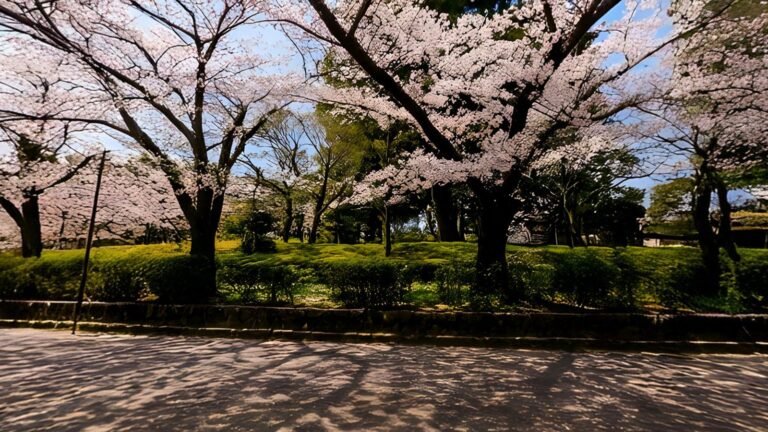
- Describe what surrounds them. A rain-soaked neon street, a courtyard of cherry trees, a glacier valley. Name what fills the horizon, because that is where people look most.
- Set the light. Time of day, season and weather do more for mood than any other words.
- Stage the distance. Decide whether detail belongs near the viewer, in the middle distance or on the horizon. Skies for games usually want it far away.
- Choose a style and decide on people. Photoreal, painted or low poly, to match where the world will be used; leave people out for clean plates and backgrounds.
An example: “A glacier valley at dawn, seen from a rocky ledge, low mist on the ice, pink light on the peaks, no people.” Then change one thing at a time, dawn to a storm or the ledge to the valley floor, and compare the versions in a 360° viewer. Leave out framing words such as close-up, portrait or centred, because a 360° world has no frame. And avoid asking for readable text, which generators still find hard. How to write a prompt for a 360° world takes each part further and gives 20 prompts to start from.
Common problems in 360-degree images
Most faults in 360° images come from the same few places: the poles, the wrap and the joins between stitched views. Once you know what to look for, they are quick to spot.
| Problem | What you see | Usual cause | Fix |
|---|---|---|---|
| Visible seam | A vertical line or jump directly behind the viewer | The left and right edges do not match | Repair with a half-width offset, or generate the sphere as one frame |
| Pinched poles | A swirl, smear or star shape straight up or down | Stitching, or flat editing near the top and bottom rows | Pole-corrected generation, or repair in a spherical editor |
| Patched nadir | A blurred circle or logo under the viewer | A tripod or camera hidden in a captured image | Keep the patch small, or cover it with a floor in the scene |
| Wavy horizon | The horizon rises and falls as you turn | The camera was not level, or the image was never straightened | Level it in a panorama editor before use |
| Ghosting | Doubled edges on nearby objects | Parallax between stitched camera views | Keep near objects away from stitch lines |
| Exposure steps | A band where brightness changes suddenly | Views exposed differently before stitching | Blend exposures, or generate the sphere as one frame |
| Banding | Stepped rings in a smooth sky | 8-bit colour or heavy compression | Export 16-bit PNG or EXR, and add slight noise before compressing |
| Softness | Blur as soon as you zoom or put on a headset | Too few pixels per degree | Use 8192 × 4096 for headsets and zoom |
Captured images tend to suffer from the stitching problems, ghosting and exposure steps in particular, because they are built from several views taken from slightly different positions. Generated images avoid those, but are worth checking for the other kind of flaw: objects that make no sense, garbled lettering, or a shape that repeats a little too neatly.
Checklist before you export
- Look straight up and straight down: no pinching, smearing or patched circle.
- Turn a full circle slowly: no visible join where the image wraps.
- Check the horizon is level and sits where your scene needs it.
- Look for anything that does not belong: stray figures, garbled signs, repeated shapes.
- Note where the brightest part of the sky is, so you can line up a sun light with it later.
- Pick the format for the job: PNG to be seen, EXR to light, JPEG for the web.
- Export at full resolution, keep that as the master, and make smaller copies from it.
Frequently asked questions
What is a 360-degree image?
A 360-degree image is a single image that covers everything around one point: 360° around and 180° from straight up to straight down. It is usually stored in the 2:1 equirectangular projection and shown in a viewer, game engine or headset that wraps it around the viewer, so they can look in any direction.
How do you view a 360° image?
In a browser, a 360° viewer lets you drag to look around, like the one at the top of this page. On a phone you can often move the phone itself. In a VR headset you simply turn your head. Game engines and 3D tools show one as the sky around a scene. Some social platforms only recognise a 360° photo if the file carries photo sphere metadata.
What resolution should a 360° image be?
At least 4096 × 2048 for the web and mobile, and 8192 × 4096 for anything viewed in a headset, used as a game sky on desktop or console, or zoomed into. 8K gives about 23 pixels per degree, close to one source pixel per screen pixel in a typical viewer.
What is the difference between a 360° image and a panorama?
A panorama is any unusually wide image, and many cover less than the full circle or leave out the sky and the ground. A 360° image is a panorama that covers everything: the full 360° around and the full 180° from top to bottom, so there is nothing missing wherever you look.
Can AI create 360° images?
Yes. AI world generators such as WorldGen360 Studio create a complete 360° image from a text description. Generating the whole sphere as one equirectangular frame, rather than stitching flat pictures, keeps the light consistent, the wrap seamless and the poles clean. Check any AI 360° image by looking straight up, straight down and all the way round.